One review screen
Imagery, attributes, confidence, and detected change share one screen, so an underwriter can inspect the structure the policy covers.
Core product
Review imagery, property attributes, confidence, and changes in one detailed commercial or residential property view. Open it in the browser; the same evidence is available from the API.
Property review
Commercial and residential properties use the same workspace. The Complete profile adds detailed imagery, roof and facade condition, maintenance score, and site context.
Imagery, attributes, confidence, and detected change share one screen, so an underwriter can inspect the structure the policy covers.
Use the Workspace to review Quote-Speed or Complete profiles delivered through the API.
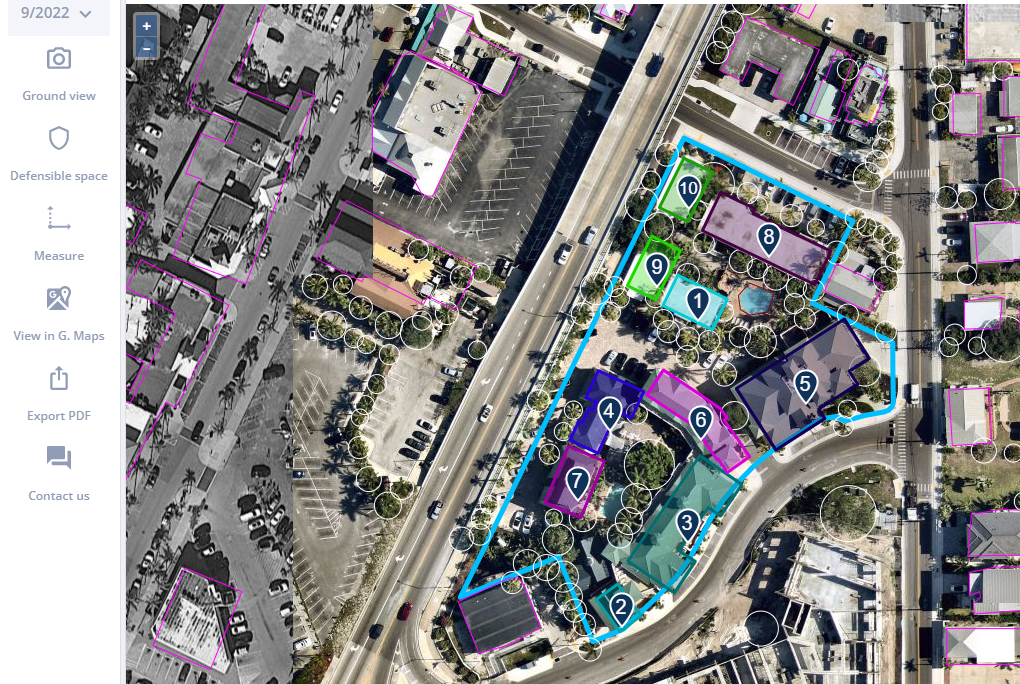
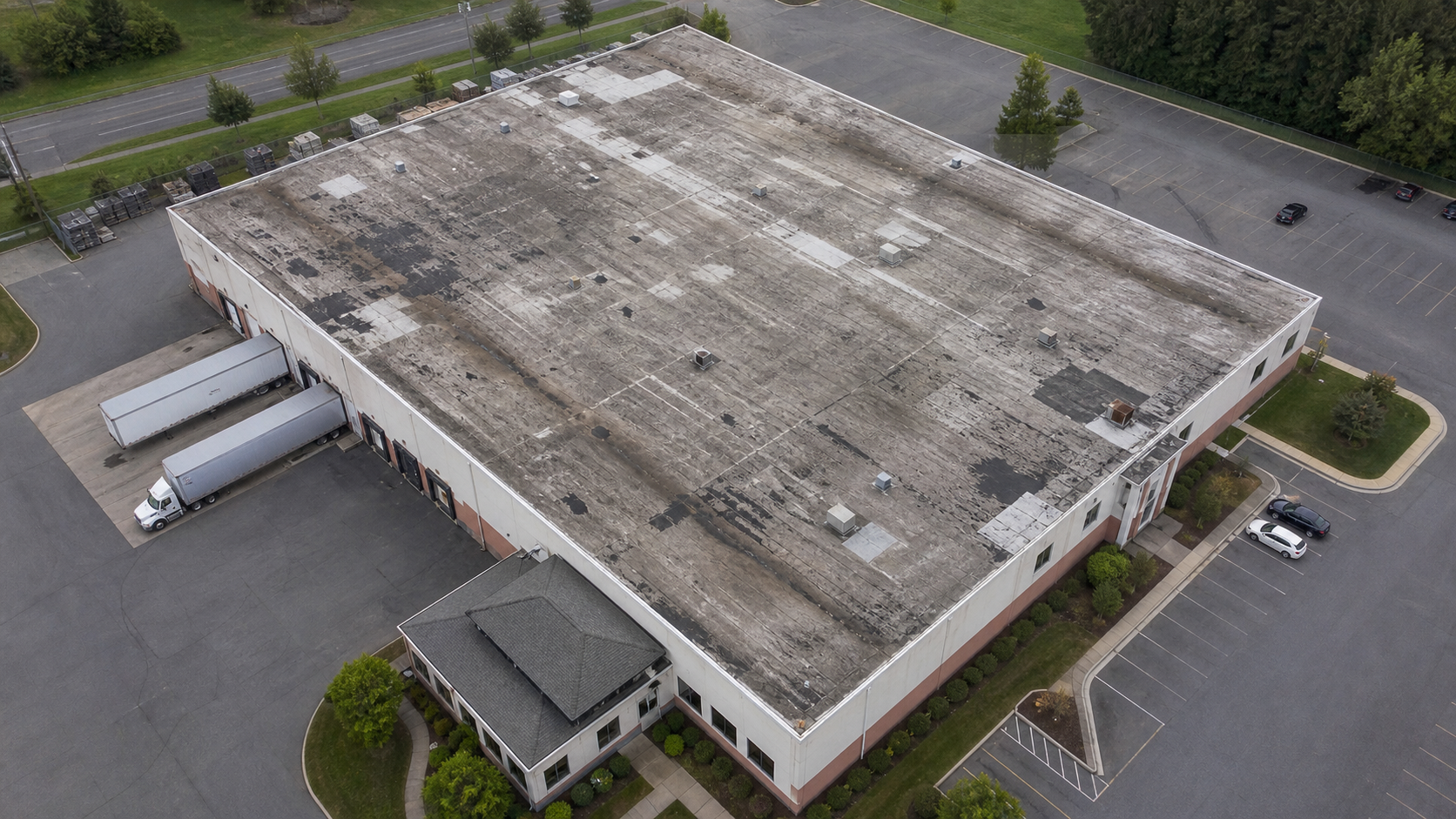
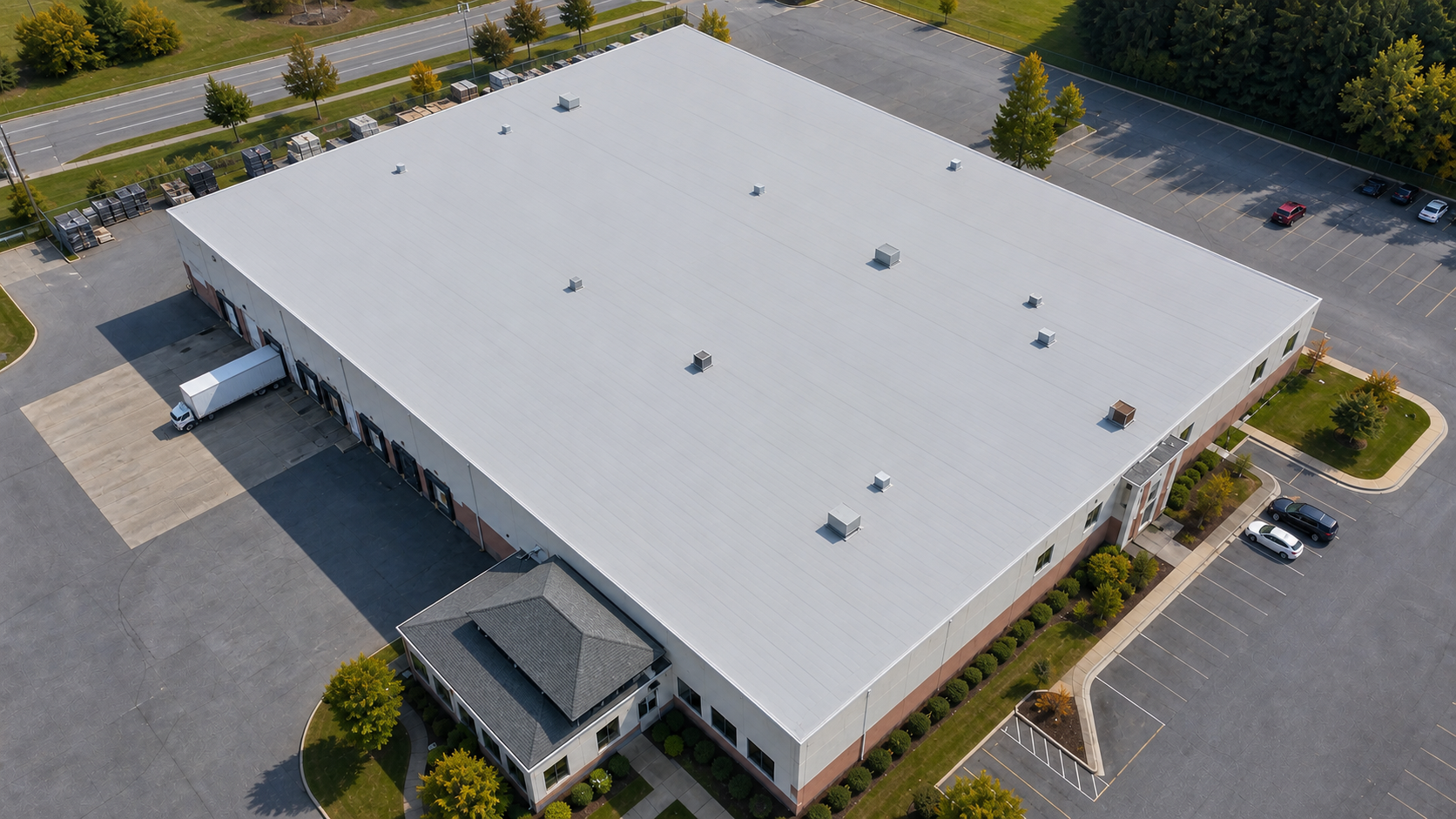
Aerial, oblique, and ground-view imagery. Each building on the parcel is numbered, and detected trees, pools, and solar panels are outlined.
A sample of the profile. The full schema covers roof, facade, site, and per-building detail.
Score 0.35 → 0.75 between capture dates. Drag the divider on the imagery to compare.
Pull imagery from earlier capture dates and compare any two side by side in the workspace.
Measure distances directly on the imagery. Every building also comes measured: footprint area, height where available, and, when another building stands within 100 m (about 330 ft), the distance to the nearest one.
Export the property view with its imagery, attributes, and supporting values.
Underwriters can correct and override values. Corrections stay on the property record and appear the next time your team opens it.
Pull imagery from previous capture dates and compare side by side to see how the property changed.
Underwriting Workspace
See commercial and residential evidence in one workspace.